%20(23).png)
.png)
Platform
Who's it for?
Resources
Compare


.png)
Think about how you currently keep tabs on what competitors are doing in short-form video. If you're like most marketing teams, the honest answer is: you don't. Maybe someone on the team follows a competitor's channel personally. Maybe a Short goes viral enough to cross your feed. Otherwise, an entire channel of competitive activity goes unwatched.
That's a problem, because Shorts is where brands are moving fastest. It's where they test hooks and formats before committing paid budget. It's where new products and colorways often appear first. It's where creator partnerships show up in the wild. The brands you compete with are publishing signal there every week, and until now there was no systematic way to capture it.
Explorers now tracks competitor YouTube Shorts. It's live in ShopVision today.
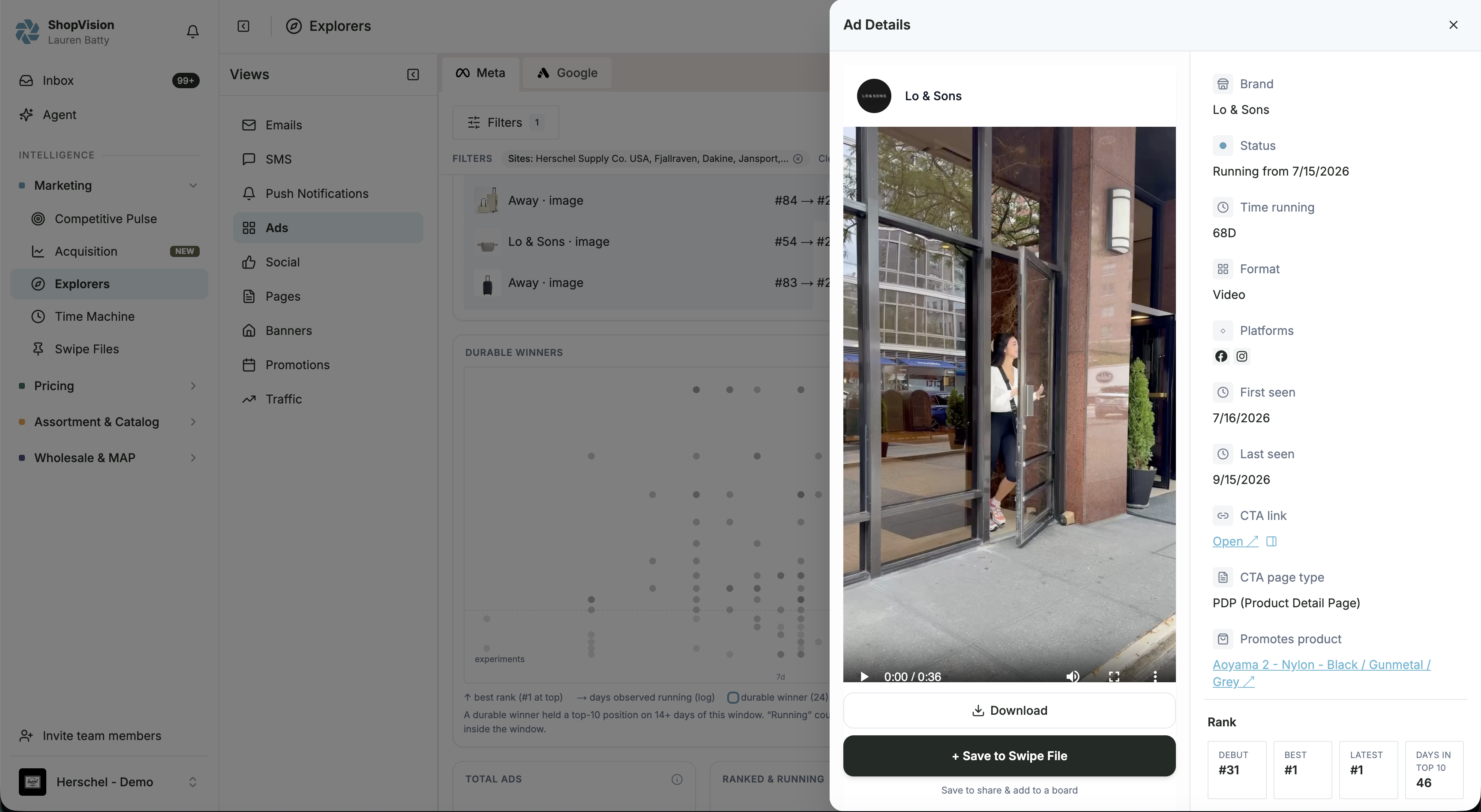
YouTube Shorts is a new channel inside the Social explorer, sitting alongside the emails, SMS, push notifications, ads, pages, banners, and promotions that Explorers already tracks. Filter your Brand Posts feed to YouTube Shorts and you see every Short published by the brands in your competitor set: the video itself, the full caption, engagement counts, and the post date. You can play any Short directly in the platform without leaving your workflow.
Start with cadence. Before you watch a single video, look at posting frequency across your set. A competitor that posts twice a month and suddenly publishes four Shorts in a week is telling you something. Cross-reference the timing with your commercial calendar. A ramp in late August usually means back-to-school. A ramp in October means they're warming audiences for BFCM.
Then read the captions. Captions carry more intel than the videos themselves. Product names and colorways signal launches. Series naming and episode numbers signal an ongoing content investment. Creator credits and platform tags show you partnership activity and how content gets repurposed across TikTok, Instagram, and YouTube.
Then watch what's winning. Engagement counts across your set show which hooks and formats land and which flop. A competitor's high-performing Short is a free creative test you didn't have to run. A low-performing one is a mistake you don't have to repeat.
Filter by region and time. The same controls that run everywhere in Explorers apply here. Scope the feed to a market, a week, or a specific competitor, and save the filter combination as a view so it's one click next time.
The pattern that works: make Shorts part of your Monday competitive scan. Filter the Social explorer to YouTube Shorts, review the week's posts across your set, and flag one thing worth acting on. Sometimes that's a creative angle to test. Sometimes it's a launch signal to escalate to merchandising. Sometimes it's a creator worth evaluating for your own program. The point is a repeatable ten-minute habit, not a research project.
Teams running seasonal campaigns get the most out of it in the weeks before a key moment. If you're planning BFCM creative, the Shorts your competitors publish in September and October are a preview of the angles they'll push in November. Reading that early is the difference between reacting to their campaign and pre-empting it.
Shorts data doesn't sit in isolation. Because it lives on the same dataset as everything else in ShopVision, you can read a competitor's video activity against their email cadence, their promotions, and their ad activity. When a product shows up in a Short, an email, and a banner in the same week, that's not a coincidence. That's a campaign, and now you can see the whole shape of it.
Want to see what your own competitors published this week? Book a demo and we'll run it live on your competitive set, or start a free trial of Marketing Intelligence and pull up the feed yourself.